How to Connect Your iPod to WiFi

This post is for a friend of mine from work. I was going to just e-mail him these instructions, but I figured what the heck, this would make a good post, and will be my second attempt at any kind of guide. Helping my friend in this format also lets me use screenshots. I am going to use screenshots and information for Linksys routers, as they are the most common, but it should be easy to apply the information to any router.

Step 1 Get Everything Ready
The first thing you are going to need is your router's SSID, or name, and its wireless key. To get to this open internet explorer and type the IP address "192.168.1.1" into the address bar. It will take you to a screen that looks like this:
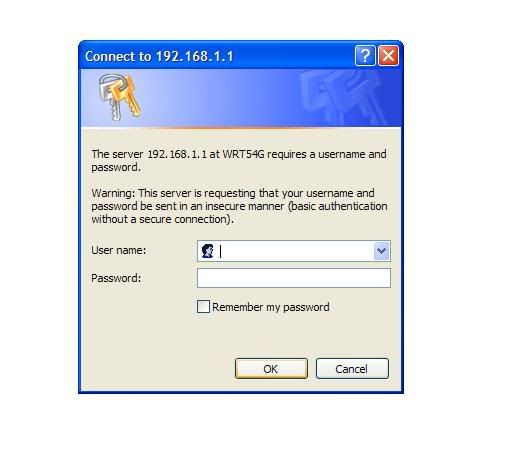

For the bulk of Linksys routers, the default username is "admin" and there is no password. If you have changed these, and have forgotten what you used, no problem. On the back of the router will be a little red button. Get a ball point pen or a paper clip and press the button for about 15 or 20 seconds. When you release the button, the router will be restored to factory settings and the "admin" logon will now work.

You will now be on a screen that looks like this:
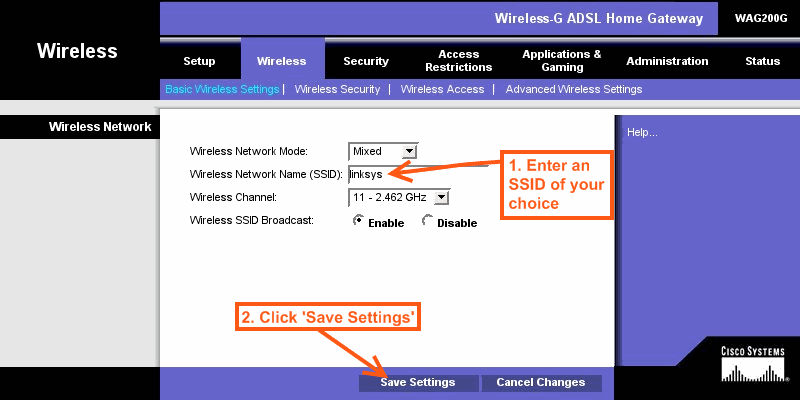


Make note of the SSID. You will need it when we get to the iPod. Now click on the
"Wireless Security" tab, and you will see this:
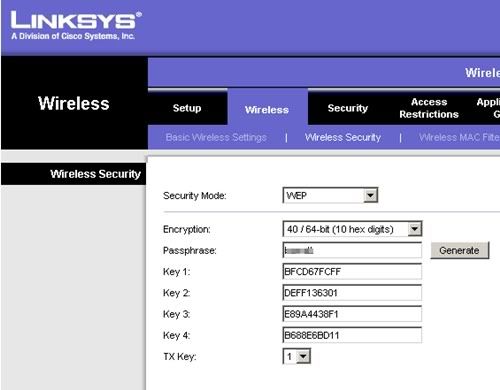


Write down the entry under "Key 1". This and your SSID are what you need to get your iPod connected.

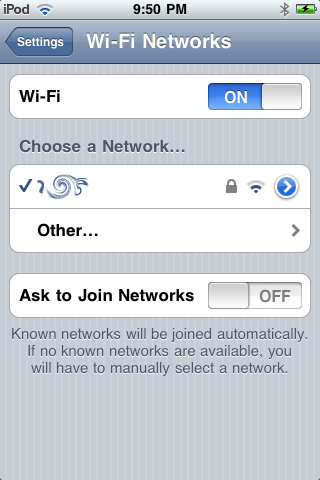
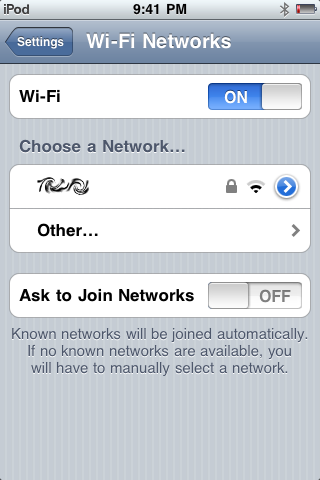
Open the settings on your iPod touch. Select Wi-Fi. You will be taken to a screen that looks like the one on the left below:

screenshot3

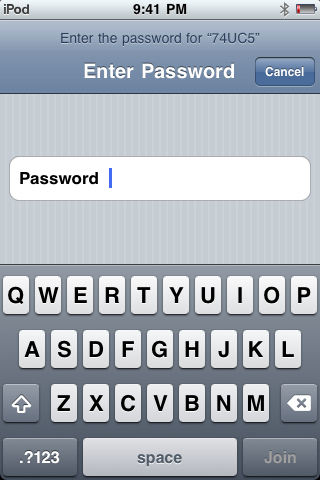
There you will see your SSID from the router page. You may see more than one. That's okay. Select your SSID and then enter the password you wrote down. When every thing works, you will see a blue check mark next to your SSID and a Wi-Fi icon in the upper left corner of your screen. That's it. You are connected. Happy surfing!

Quick Mention: Juiced


By: Chilli X
Site: http://chillix.wordpress.com/our-apps/
Release Date: September 21, 2009
Price: 99 cents
Click icon to download

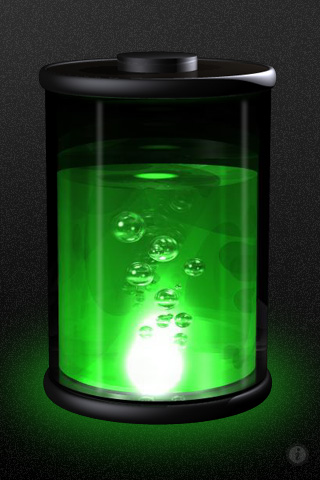
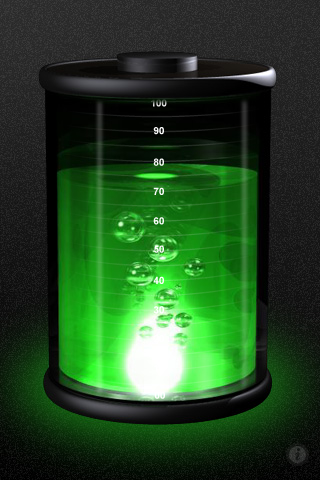
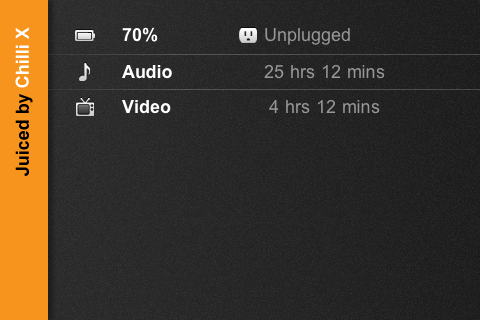
Juiced is an app that gives you a more accurate view of the battery level of your device. What sets this apart from other battery info apps is its mad scientist feel, from the lightning bolt sound effects to the strange colored liquid in the beaker representing your power level. Tilt your device to landscape and get stats like power level, music play time, video time, and talk time.

Screenshot:


Quick Mention: PlaySafe


By: Chili X
Site: http://chillix.wordpress.com/our-apps/
Release Date: Sept 18, 2009
Price: 99 cents
Click icon to download

Ever tried to fumble around with your devices controls while driving. I'm not trying to say it's the most difficult thing in the world, but it is definitely a distraction from the things you should be doing, like paying attention to the road. PlaySafe gives you a little less to be distracted over by offering a simple swipe system to switch tracks. Swipe left to go forward one track and right to go back. Tap to switch between pause and play. A large icon will be displayed so you can tell what you did at a glance.

Screenshots:

The developer, Chili X offers one piece of advice that I feel I should pass on. Please, for all our sakes, create a playlist for this app before you start driving.

Chain Rxn


By: Zwigglers Mobile
Site: http://apps.facebook.com/zwigglers
Release Date: October 15, 2009
Price: 99 cents
Click icon to download


Chain Rxn, the popular game that is already well-known and loved to Facebook users, is now available for your iPhone. In this game you get one chance to tap the screen and set off a chain reaction that will explode enough balls to clear the level.

Screenshots:


It took me a while to really figure this game out. It seemed simple enough at first. Playing on Facebook, I couldn't understand how my wife scored six million points higher than I did. She really couldn't either. "I guess I just got a lot of them to explode after the limit was reached." But try as I might I couldn't beat that score. Then I figured it out. If you want to achieve the highest score possible, then each ball would have to explode one at a time. The first ball gets you 100 points, the second 800 points, etc. If you set off your explosion and two balls hit it directly, you will get 200 points. If however, one crashes into your explosion and the second crashes into it, then you will get 900 points. The worst thing you can see is a massive cloud of explosions right after you set off the chain reaction. What you want is a slow, steady line of explosions until you are at around the 200,000 to 300,000 point level, and then get the large cloud of explosions, racking up millions of points in the process.
Chain Rxn is highly addictive. It is also a good game to play while waiting in line, on a break, etc. since you only have to tap once and let it go. The game will ask if you want to resume a previous game. Also, Chain Rxn uses Facebook Connect so you can still brag about your high score to all your friends. I will give Chain Rxn an 8 out of 10 for its addictive gameplay and its soothing, wind chime audio.

Visit the App-lesauce Store

View our selection of iPhone and iPod touch accessories by clicking here.